Limits guide
How to see your Claude Code limit before you hit it
Three ways to watch Claude Code's 5-hour and weekly limits while you work: /usage, a custom status line, and a Mac menu bar and widgets.
· Facts checked October 3, 2026
- Claude Code
- Codex
The short answer
Claude Code already knows how much of your five-hour and weekly limits you have used, and it passes both percentages and their reset times to its status line. You can check them on demand with /usage, show them in a custom status line, or keep them on screen in your Mac menu bar with everyaitoken.
At a glance
| On demand | /usage in Claude Code: usage bars and reset times for each window. |
|---|---|
| Status line fields | rate_limits.five_hour and rate_limits.seven_day, each with used_percentage and resets_at. |
| Who gets the data | Pro and Max subscribers, after the first response of a session. |
| Always visible | everyaitoken shows both windows in the menu bar and widgets, next to Codex limits. |
Option one: /usage
The /usage command opens a panel with your plan usage bars and the time each window resets. It also attributes usage to skills, subagents, and MCP servers, which helps when one tool is eating the allowance. Press d or w to switch between the last 24 hours and the last seven days.
The drawback is that you have to remember to look. Most lockouts happen in the middle of a long task, when nobody is checking.
Option two: a status line
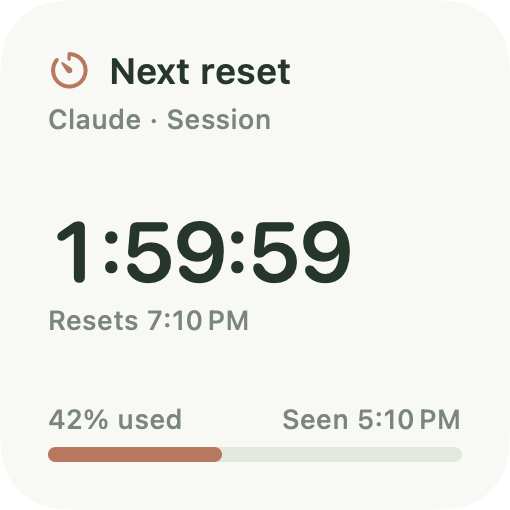
Claude Code runs a status line command and hands it a JSON payload. For Pro and Max subscribers, that payload includes rate_limits.five_hour and rate_limits.seven_day, each with a used percentage from 0 to 100 and a resets_at time in Unix seconds. A short script can print something like 42% of the session, resets at 7:10 PM.
Two caveats from the docs: the rate limit data appears only after the first API response of a session, and a window drops out of the payload once its reset time passes. A status line also only shows while a Claude Code session is open.
Option three: your menu bar and desktop
everyaitoken installs an optional status line bridge that keeps your existing status line and records the same rate limit data. The limits then stay visible in the macOS menu bar and in desktop widgets, with the exact reset time and an optional alert at 80%.
The readings update while you use Claude Code, so they can fall behind while it is idle; once a reading is more than 15 minutes old, the app shows when it was last observed. Codex limits sit beside them, read from your installed Codex. For what to do if you are already stuck, see what to do when you hit the limit.
- Install everyaitoken and add your Claude Code profile under Accounts.
- Choose Install status-line bridge for that profile; your current status line keeps working.
- Send a prompt in Claude Code so the first reading arrives.
- Add the Next reset or Limits widget: right-click the desktop, choose Edit Widgets, and search for everyaitoken.
Your own numbers
See every limit and its reset time.
everyaitoken reads Claude Code, Codex, Cursor, OpenRouter, Gemini CLI, and OpenCode on your Mac. It shows limits with reset times, API-equivalent cost, and what caching saved or cost, in the menu bar and 17 widgets. $9 once.
FAQ
Questions
Does Claude Code show my remaining usage?
Yes. /usage shows your plan usage and reset times, and the status line receives the used percentage of the five-hour and seven-day windows for Pro and Max subscribers.
Why is the rate limit data missing from my status line?
It appears only after the first API response in a session, only for Pro and Max subscribers, and a window drops out once its reset time passes. Sending one prompt usually brings it back.
Does everyaitoken replace my Claude Code status line?
No. Its bridge is optional and keeps your existing status line. It records the rate limit fields Claude Code already provides; it does not estimate limits from log files.
Sources
Checked October 3, 2026. Plans and limits change; the linked pages are the authority.