· 6 AI coding tools· , Multiple accounts· , 17 desktop widgets· , $9 once
Know when you’ll hit the limit. And what caching is really worth.
Claude Code and Codex limits with exact reset times. Usage and API-equivalent cost for six AI coding tools, including what caching saved. Connect multiple accounts across your AI tools and models, with personal and work profiles side by side. In your menu bar and 17 widgets.
One-time purchase· , 1 Mac license· , No subscription· , No account· , macOS 14+ · Apple silicon
Example
Real widgets, rendered from the app with example data. Menu bar panel illustrated.
FinderFileEditView
Sat 5:10 PM
everytoken
Estimated usage cost
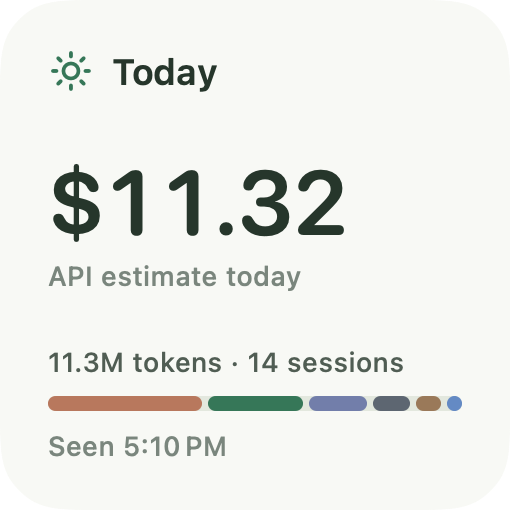
$11.32
Today
Net cache savings
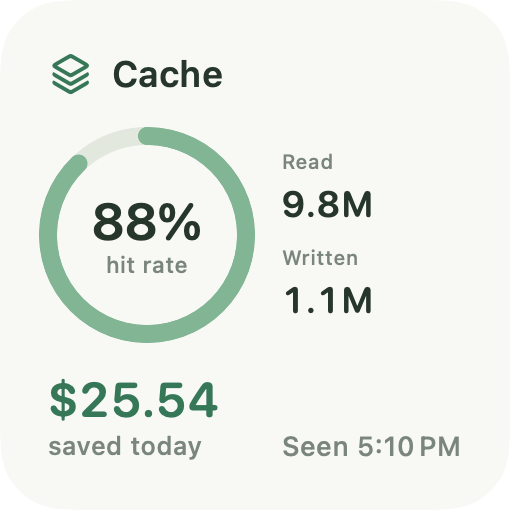
$25.54
Cache hit rate
88%
Claude$4.53
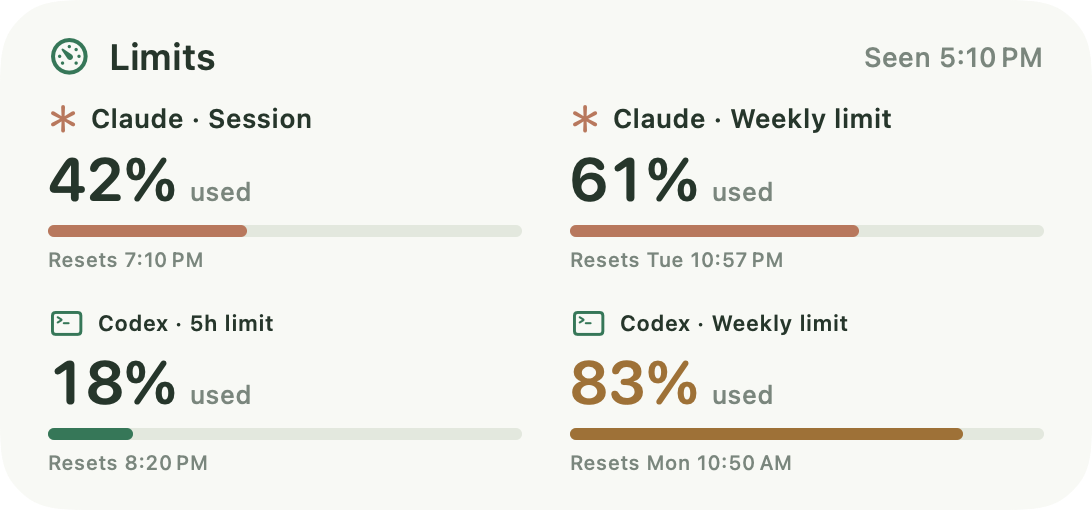
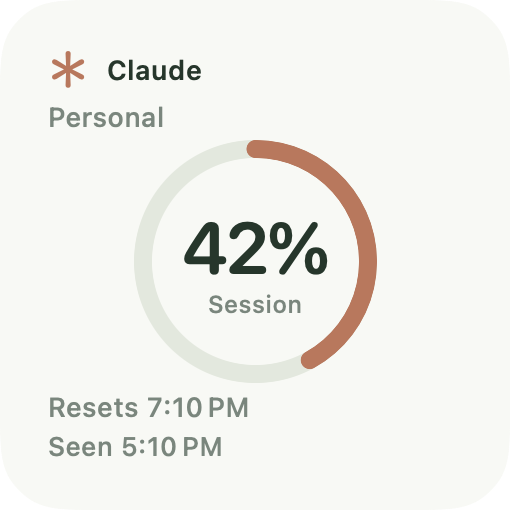
5-hour session · 42% usedResets 1h 59m
Weekly limit · 61% usedResets 3d 5h
Codex$2.81
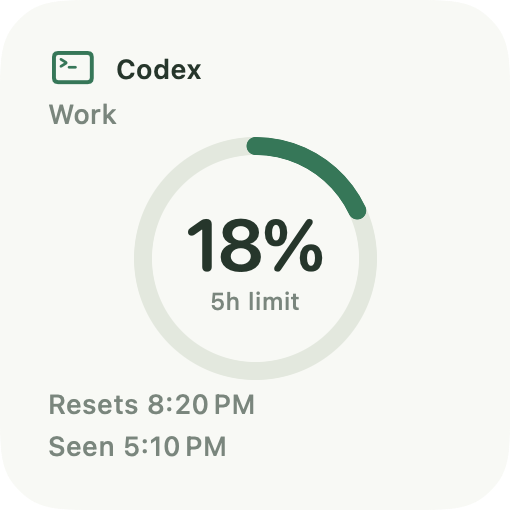
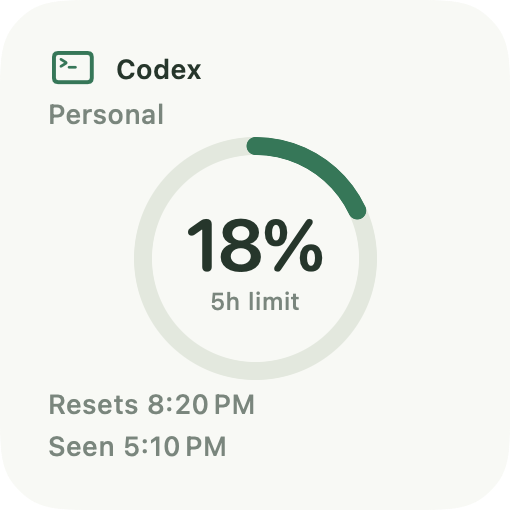
5-hour session · 18% usedResets 3h 9m
Weekly limit · 83% usedResets 1d 17h
OpenRouter$1.72
Cursor$1.09
OpenCode$0.72
Gemini CLI$0.45
API-equivalent estimate · cache reads + writes included
Open dashboard
Reads usage from the tools you already run
Codex
OpenAI
Local history. Limits from Codex itself.
Cc
Claude Code
Anthropic
Local history. Limits from Claude Code’s status line.
Cursor
Anysphere
Its saved sign-in, or an Enterprise admin API key.
OpenRouter
Any model
Reported spend by API key, token detail by import.
Gc
Gemini CLI
Google
Local history.
OpenCode
Open source
Local database.
everyaitoken is an independent app, not affiliated with or endorsed by these companies.
Features
Your AI coding tools,at a glance.
Multiple AI tools and models. Multiple accounts for each tool. Usage, limits, and budget in your menu bar and 17 desktop widgets.
Usage
Six tools.One place.
Stop checking six dashboards. everyaitoken brings tokens, sessions, and API-equivalent cost from Codex, Claude Code, Cursor, OpenRouter, Gemini CLI, and OpenCode into one view.
Tokens and cost by tool, account, model, and session
Search sessions by project, model, or tool
Reported spend from OpenRouter and Cursor, where they report it, kept apart from estimates
Any date range, from today to all time, with CSV export
Limits
See the limit coming,before you’re locked out.
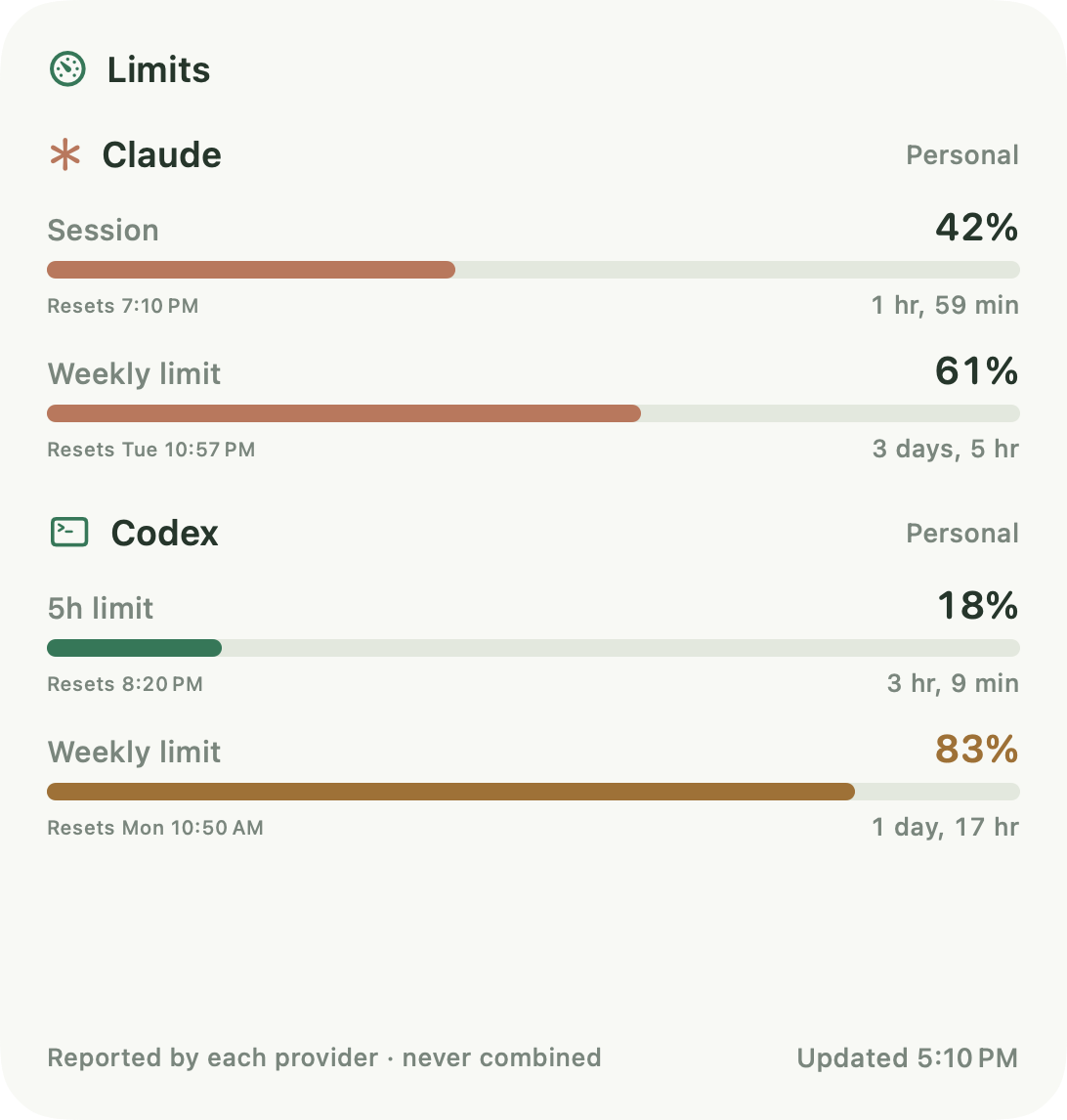
Claude Code session and weekly limits and Codex 5-hour and weekly limits, read from the tools themselves, with the exact time each one resets.
Every limit window, shown per account and never added together
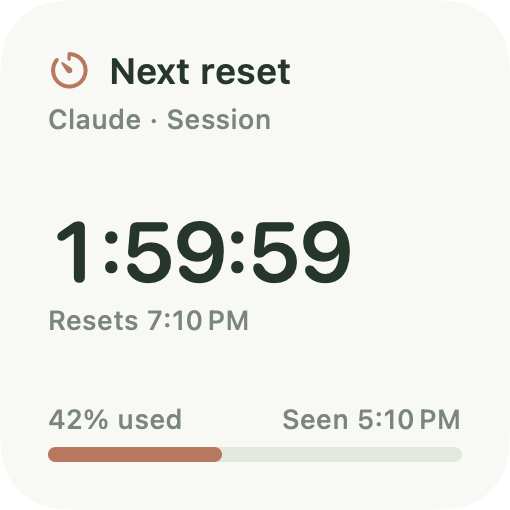
A live countdown to your next reset
An optional alert when a limit reaches 80%
Use what you paid for: see what’s left before the weekly reset
Accounts
Personal and work,side by side.
Connect more than one account for the same tool. Each keeps its own limits, history, and costs, and each tool’s widget can follow one account or all of them.
Several accounts per tool, such as Claude Personal and Claude Work
Limits stay per account, so percentages are never blended
Filter the dashboard by tool or by a single account
Trends and budget
Catch expensive habitsearly.
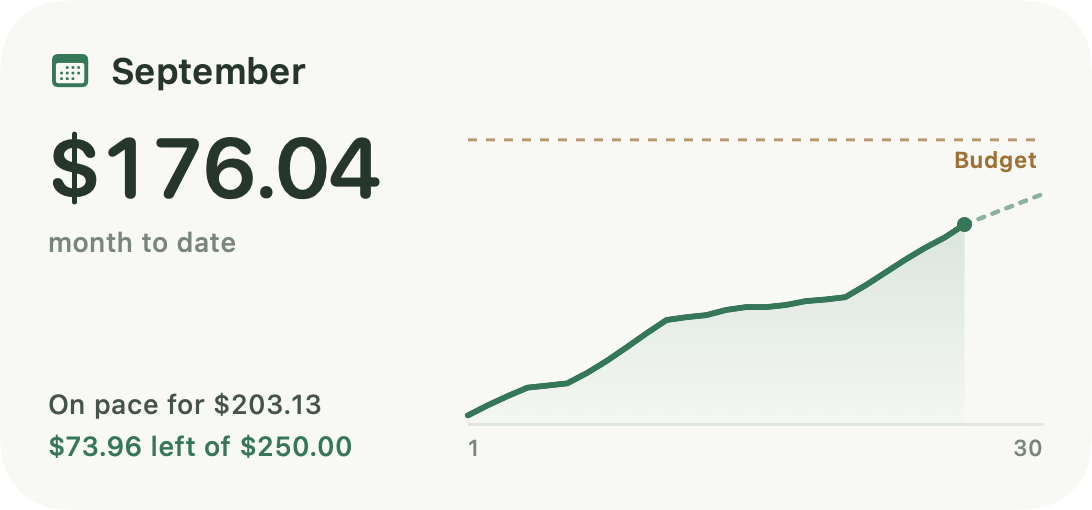
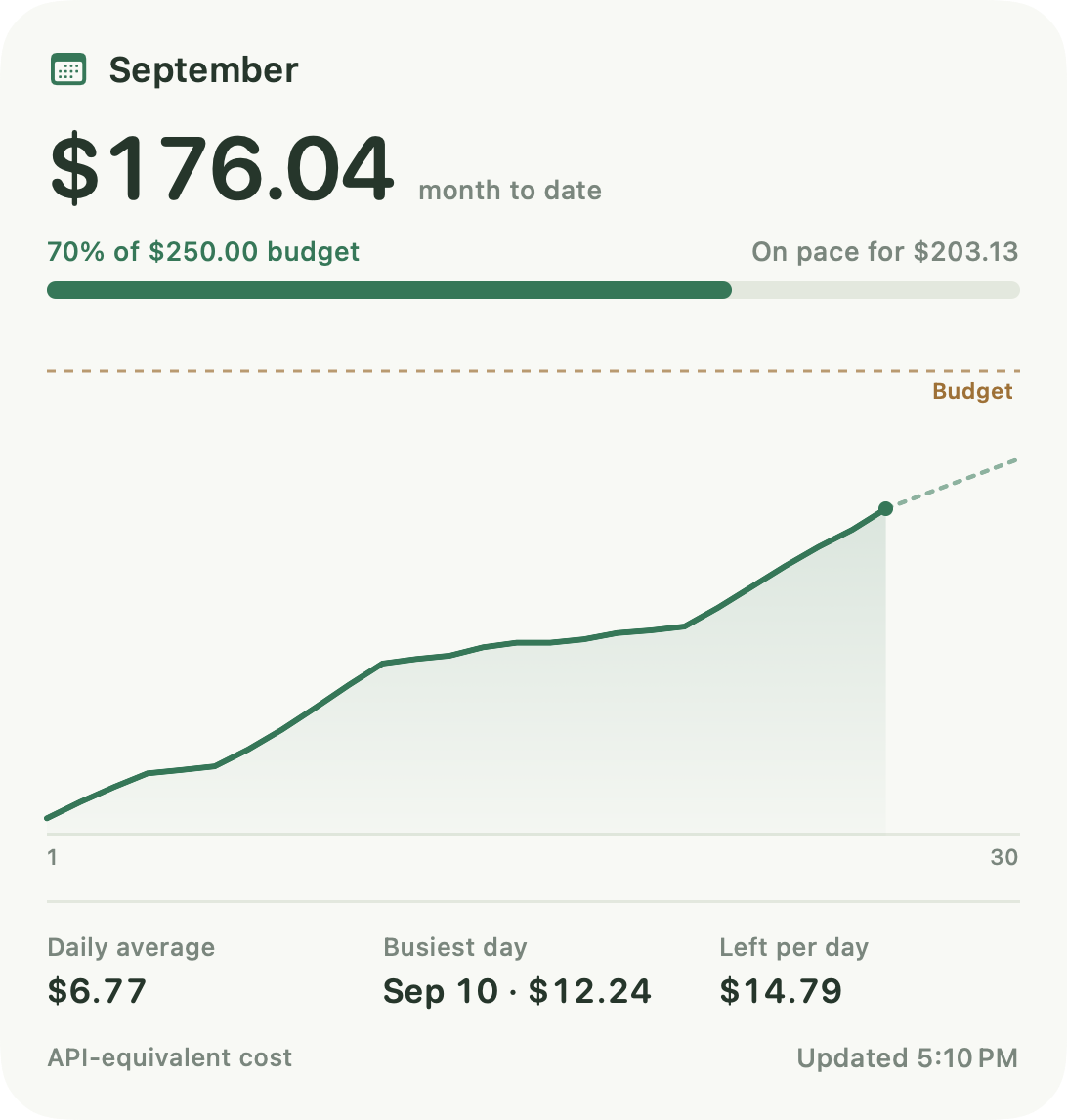
Set a monthly budget and watch your pace. See which days and models drive your usage, before the month is over.
Month-to-date cost with a pace projection from day 3
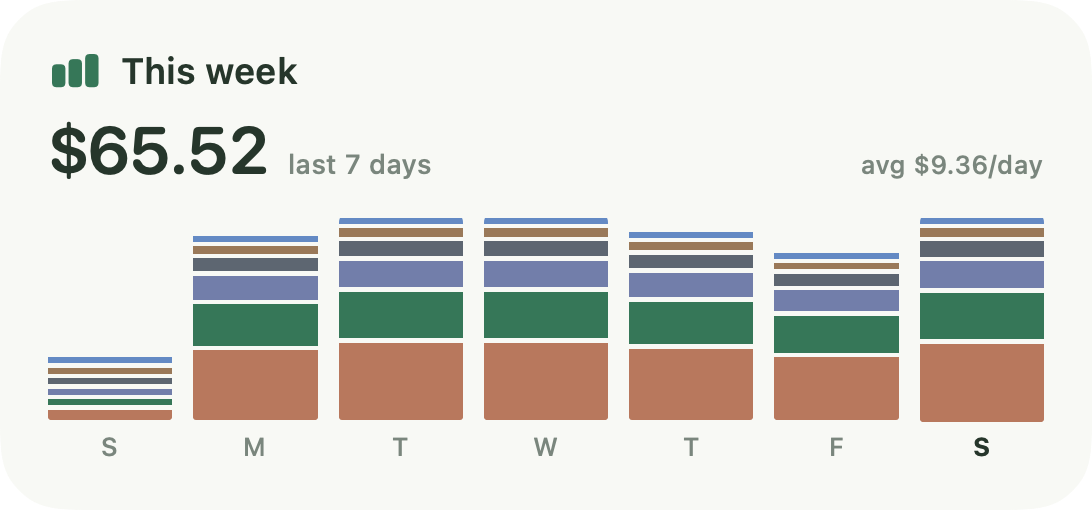
Daily cost stacked by tool, and today’s top models
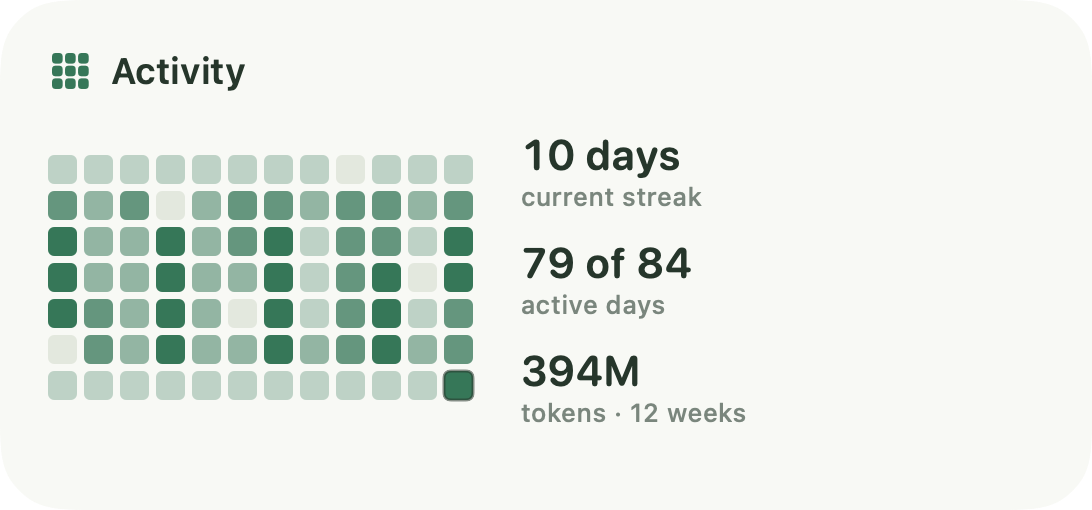
Twelve weeks of activity, with your streak
Also in everyaitoken
Menu bar panel and full dashboard
Refresh every 1 to 15 minutes
Launch at login
Light and dark
API keys in the Keychain
CSV export
The cache math
90% off or more, they say.Here’s your number.
AI coding tools resend your context with every request. OpenAI, Anthropic, Google, and OpenRouter models bill that repeated context as discounted cached input, and some charge a premium to write the cache. everyaitoken prices reads and writes at each provider’s published rates, nets out the write premiums, and shows what caching saved you, or cost you, for every tool that reports cache tokens.
Free trackers are good at counting. Here is what everyaitoken adds, and where it stops.
Good at
Cache savings or overhead, net of 5-minute and 1-hour write premiums
Reported spend kept apart from estimates, unknown prices flagged
All 17 widgets included
Several accounts per tool
Any date range, by tool, account, model, and session
A native Swift app with no account
$9 once
Where it stops
Session and weekly limits for Claude Code and Codex only
Six tools, not dozens
macOS 14 or later on Apple silicon
No command-line version, no Windows or Linux
Costs are API-equivalent estimates unless the provider reports spend
It shows the cache math. It doesn’t change how your tools cache.
As of September 2026.
Desktop widgets
17 widgets.All included.
Real macOS widgets for your desktop and Notification Center, in small, medium, and large, in light and dark.
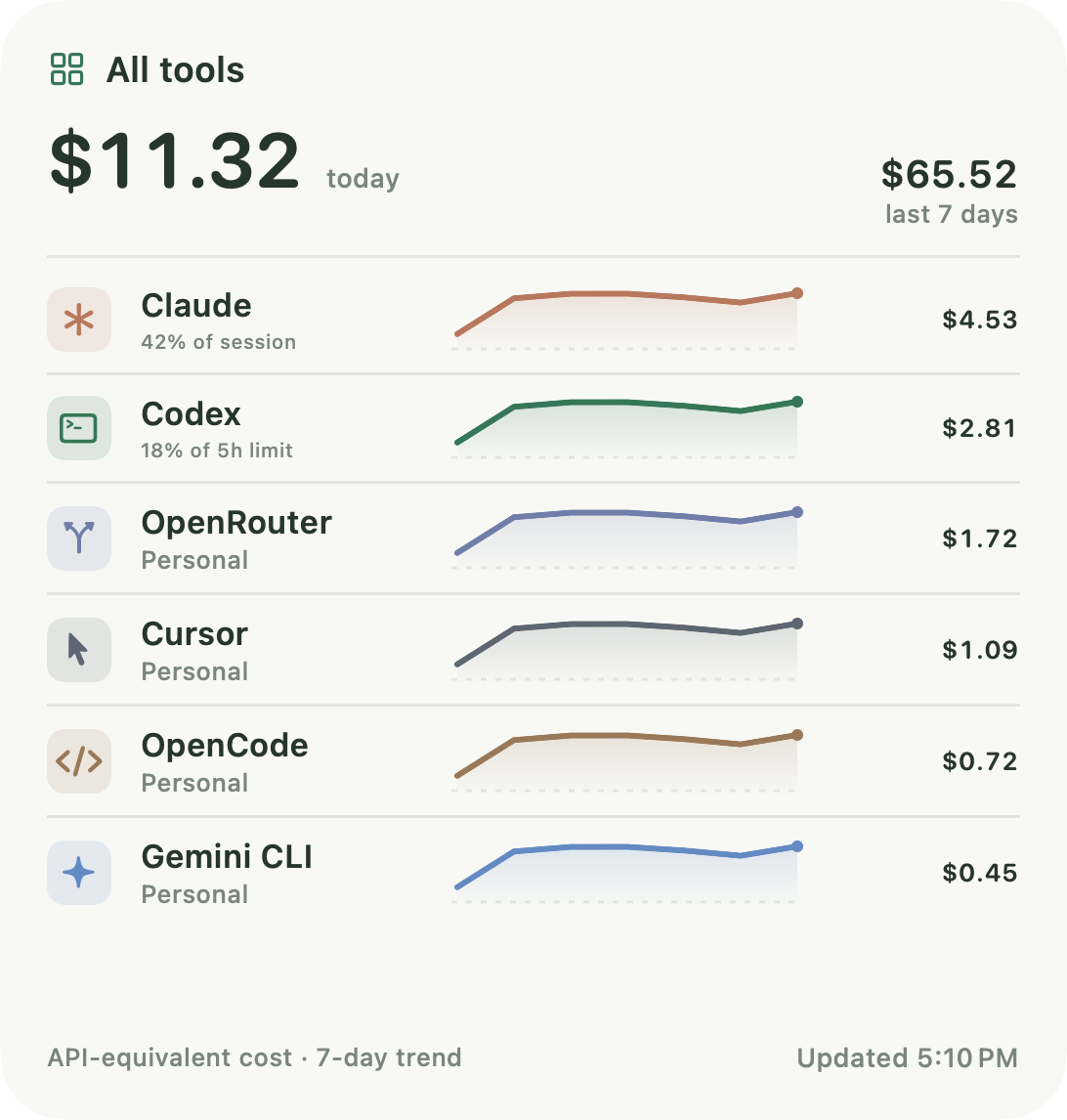
All tools: $11.32 today
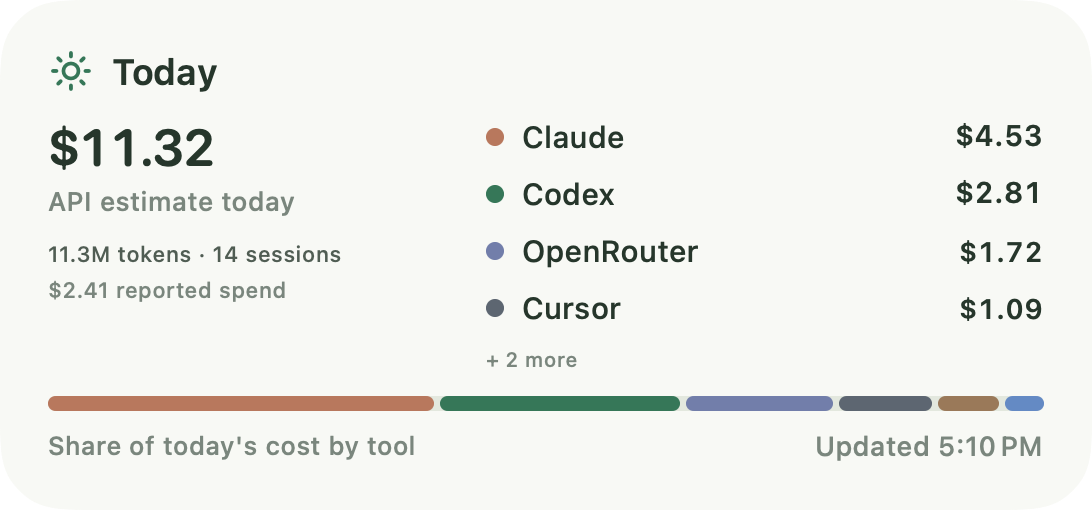
Today: 14 sessions
Next reset: in 1:59:59
This week: $65.52 in the last 7 days
Month: on pace for $203.13
Activity: a 10-day streak
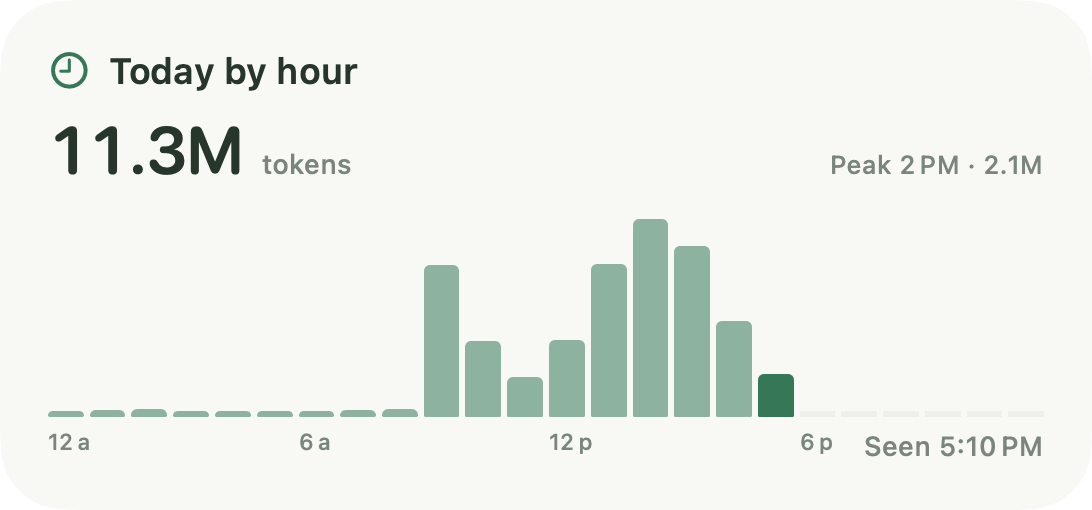
Today by hour: a 2.1M-token peak
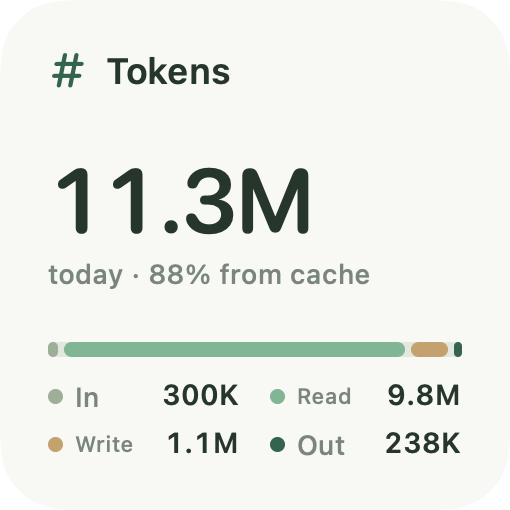
Tokens: 11.3M today
Cache: $25.54 saved
Claude: 42% of session
Codex: 18% of 5h limit
Limits: Codex weekly at 83%
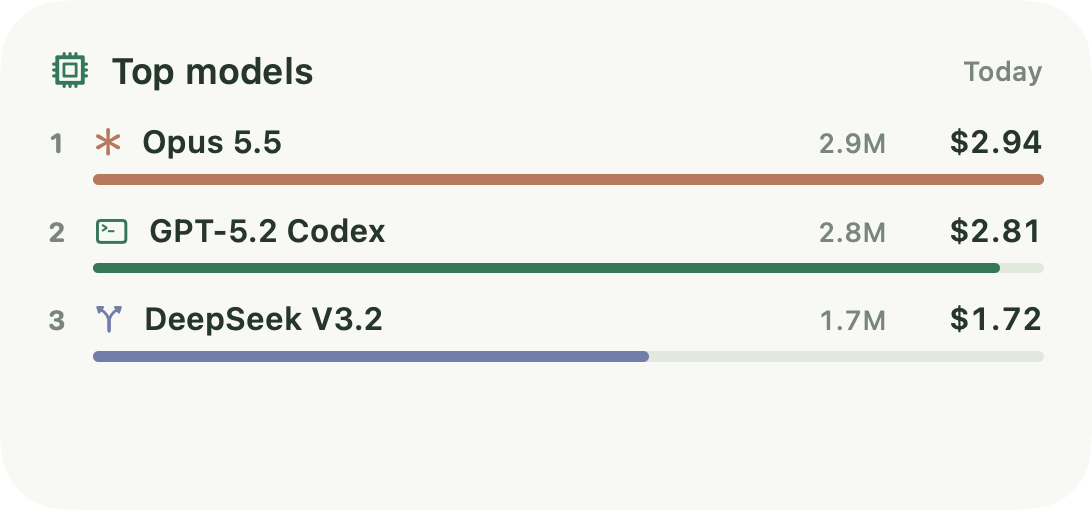
Top models: Opus 5.5 at $2.94 today
Plus usage widgets for OpenRouter, Cursor, OpenCode, and Gemini CLI, and more sizes of most widgets.
All captions use example data.
Reads the historyalready on your Mac.
1
Step 1: Install
Download everyaitoken, move it to Applications, and open it. It lives in your menu bar.
2
Step 2: Add your tools
Add Codex, Claude Code, Gemini CLI, or OpenCode. everyaitoken suggests the usual folder and reads the history already there. No sign-up.
3
Step 3: Connect more, optionally
Add Cursor with its saved sign-in, or an Enterprise admin API key. Add OpenRouter with an API key, stored in your Keychain. Turn on Claude Code limits with a bridge that keeps your existing status line.
Private by design,in writing.
Website analytics
By default, this website sends page paths and selected button actions to PostHog, with a random identifier that lasts for this page session. It does not send query strings, URL fragments, prompts, code, account details, or license keys. No session recordings or automatic click tracking. PostHog receives the network request, including your IP address; geographic enrichment is disabled. Your choice is stored in this browser. Stop website analytics through Analytics settings in the footer. Do Not Track keeps website analytics off.
Reads
Usage metadata such as tokens, models, and timestamps, from your tools’ local history and the accounts you connect.
Never stores
Your prompts, responses, or code.
Keys
API keys you add and your license key stay in the macOS Keychain.
Widgets
See only a small summary, never a credential.
Account
There is no everyaitoken account and no everyaitoken server. Polar, the store that sells everyaitoken, handles checkout and license keys.
License
Checked with Polar (api.polar.sh) at launch and about once a day. everyaitoken sends the key, a hashed ID for this Mac, the Mac’s name, and the app and macOS versions, never usage data. It works offline for up to 30 days.
Network
everyaitoken connects to Polar, to check your license; to Cursor, for Cursor accounts you connect; and to OpenRouter, for API keys you add and for its public price list when your OpenCode history includes OpenRouter models. Codex limits and sign-in go through your installed Codex, which talks to OpenAI with its own sign-in. Optional app analytics connect to PostHog only if you enable them.
Pricing
One price.No tiers, no subscription.
Pay once for a lifetime license on one Mac. Move it to a new Mac any time.
everyaitoken
$9once · lifetime license
Every tool, every widget, several accounts, every date range.
Launching soon
One-time purchase· , 1 Mac license· , No subscription· , No account· , macOS 14+ · Apple silicon
Everything included
Usage and API-equivalent cost for six AI coding tools
Cache savings or overhead, net of write premiums
Claude Code and Codex limits with reset countdowns
All 17 native desktop widgets
Several accounts per tool
Monthly budget, any date range, CSV export
A license for one Mac, which you can move any time
Plus the menu bar panel and full dashboard, light and dark, and API keys kept in the macOS Keychain.
FAQ
Good questions.
What is everyaitoken?
everyaitoken is a native macOS app that brings AI coding usage, supported account limits, API-equivalent cost estimates, and cache savings together for Codex, Claude Code, Cursor, OpenRouter, Gemini CLI, and OpenCode. It includes a menu bar view, 17 desktop widgets, multiple accounts, and CSV export. It is not an AI model or a chat service.
Does everyaitoken collect analytics?
Optional product analytics use PostHog only in a configured build and only after you enable them in Settings. They contain basic app interactions, not usage history, prompts, code, credentials, account names, token counts, or costs. Website analytics are on by default in a configured build and can be stopped through Analytics settings in the footer. Both exclude session recordings and automatic interaction capture.
How is this different from free trackers?
Free trackers are good at counting tokens and showing limits. everyaitoken does that for six tools in one native app, then goes further on cost. It prices cache reads, 5-minute writes, and 1-hour writes at each provider’s rates, and shows what caching saved you after the write premiums, or what it cost you when a cache went unused. Reported spend stays separate from estimates, all 17 widgets are included, and it’s $9 once. It also has limits: it tracks six tools rather than dozens, and it shows session and weekly limits for Claude Code and Codex only.
Which tools does it support?
Codex by OpenAI, Claude Code by Anthropic, Cursor, OpenRouter, Gemini CLI by Google, and OpenCode. OpenRouter covers whichever models you route through it. You can connect more than one account for the same tool, such as a personal and a work account.
Where do the limits come from?
From the tools themselves, not estimated from log files. Codex limits come from your installed Codex, which reads them from OpenAI using the ChatGPT sign-in you already use with Codex, and refresh on the schedule you choose, from every minute to every 15 minutes. Claude Code limits come from the rate limits Claude Code passes to its status line, through an optional bridge that keeps your existing status line. They update while you use Claude Code, so they can fall behind while it’s idle. Once a reading is more than 15 minutes old, everyaitoken shows when it was last observed.
Does it read or upload my prompts?
It never stores or uploads them. To count tokens, everyaitoken parses your tools’ local session logs, which also contain your conversations, and keeps only usage metadata such as token counts, models, timestamps, and project folders. Your prompts, responses, and code are discarded, and there is no everyaitoken server to send anything to. The license check with Polar, the store that sells everyaitoken, sends your license key, a hashed ID for your Mac, the Mac’s name, and the app and macOS versions, never usage data. API keys you add and your license key stay in the macOS Keychain.
Does it need my password or browser cookies?
No passwords and no browser cookies. Codex limits use Codex’s own sign-in. Cursor uses the sign-in Cursor already saved on your Mac, or an Enterprise admin API key, which reports the whole team’s usage for the last 30 days. OpenRouter uses an API key you paste in.
How is cost calculated?
Each request is priced at its provider’s published API rates: OpenAI for Codex, Anthropic for Claude, Google for Gemini, and OpenRouter’s own per-model prices. Cache reads and cache writes are priced separately from ordinary input, and costs are computed in exact decimals. The result is an API-equivalent cost. When OpenRouter or Cursor reports its own spend figure, such as OpenRouter key spending or Cursor’s included-plan usage this cycle, everyaitoken shows it separately and never mixes it in.
What does “cache savings” mean?
AI coding tools resend your context with every request. Providers bill that repeated context as discounted cached input instead of full-price input. Writing the cache can cost extra: Anthropic charges 1.25× input for 5-minute writes and 2× for 1-hour writes. Cache savings compare what the tokens cost with caching against what the same tokens would cost as ordinary input, after those write premiums.
Why can savings be negative?
If a tool writes to the cache and the cache expires before anything reads it, you pay the write premium for nothing. everyaitoken shows that as cache overhead instead of hiding it, so you can see where caching worked against you.
I’m on a ChatGPT or Claude subscription. Is it still useful?
Yes. You see your Codex and Claude Code limits with exact reset times, with an optional alert at 80%. You also see what the same usage would cost at API prices. That figure is an API-equivalent estimate, not your bill, and it shows how much value your plan delivers.
Is Cursor or OpenRouter spend real or estimated?
Both are shown, and never mixed. everyaitoken shows OpenRouter’s spending for your API key and Cursor’s usage against your plan this cycle as each provider reports them. Neither is an invoice. Token-level costs are API-equivalent estimates. If a price is unknown, those tokens are left out of the estimate and the figure is flagged as unpriced or partial.
Does it track the OpenAI API platform or ChatGPT?
No. For OpenAI, everyaitoken tracks Codex usage and limits. It doesn’t read the OpenAI API platform dashboard or ChatGPT chat usage.
How do the desktop widgets work?
They are native macOS widgets. Right-click your desktop, choose Edit Widgets, and search for everyaitoken. Widgets show the latest data the app collected, and macOS decides when they refresh, so keep everyaitoken running in your menu bar.
What are the system requirements?
macOS 14 Sonoma or later on an Apple silicon Mac. Intel Macs aren’t supported.
Is it a subscription?
No. everyaitoken is $9 once, with a lifetime license for one Mac.
Is there a free trial?
No, and there is no free version. everyaitoken asks for a license key the first time you open it.
How many Macs can I use it on?
One at a time, and you can move your license any time. On the old Mac, choose Deactivate This Mac in everyaitoken’s settings, then enter your license key on the new one. If the old Mac is gone, remove it in Polar’s customer portal instead.
Where do I find my license key?
On the confirmation page right after you buy, and any time later in Polar’s customer portal, where you sign in with a code sent to the email you used at checkout.
Stop checking six dashboards.
Limits, usage, and what caching is really worth, in one quiet app.
 everyaitoken